Match the real game format
Choose a formation that matches the fixture’s players per side. Build the plan around its periods and period length, rather than assuming every age group plays the same format.
PLAN BEFORE KICK-OFF
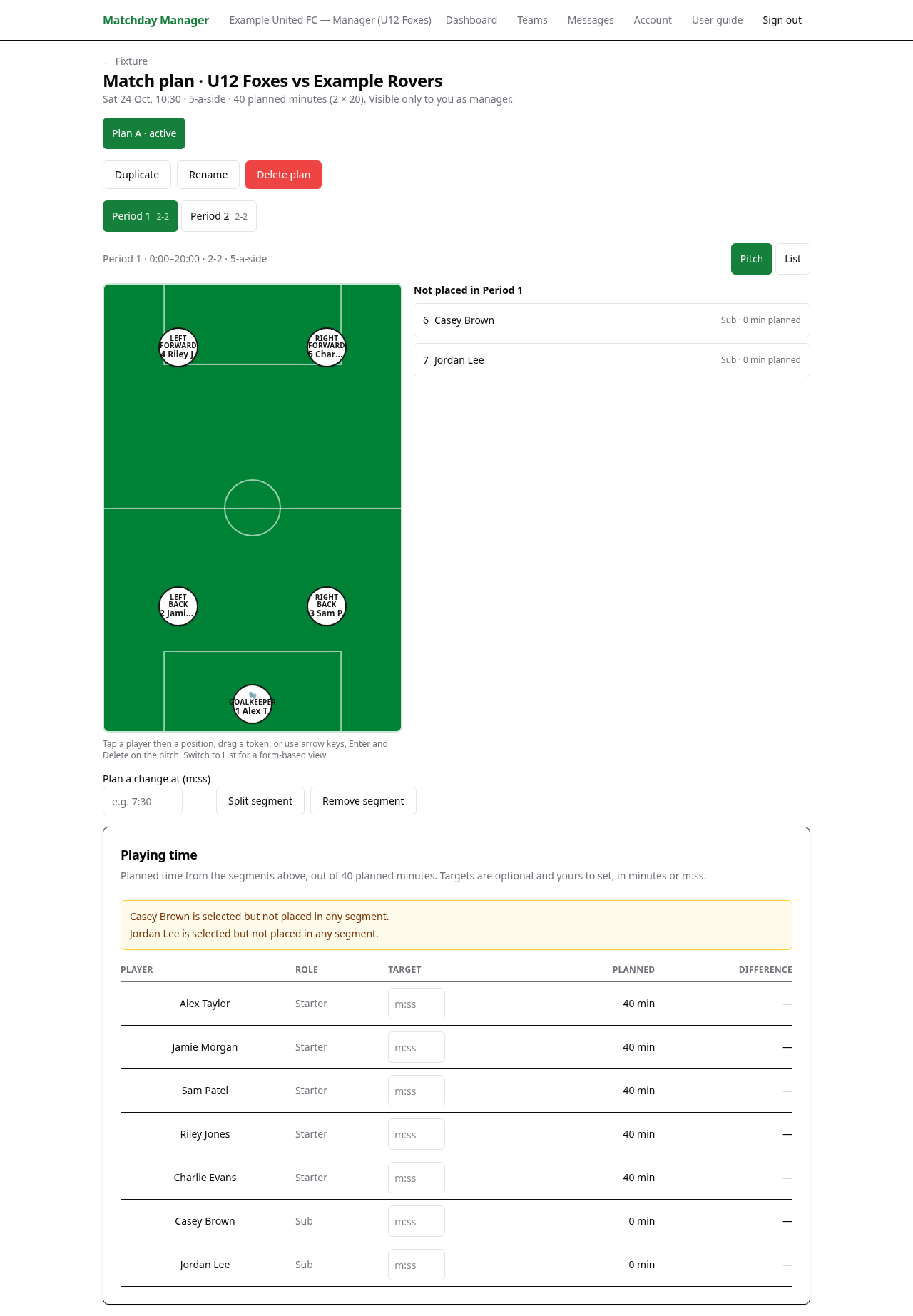
Make your playing-time decisions before the touchline gets busy. Set up formations and match segments, place your selected players, and review how much time the plan gives each player.
For grassroots team managers planning youth football rotations or comparing different line-up options.
 View full screenshot →
PRACTICAL TOOLS FOR GRASSROOTS FOOTBALL
Choose a formation that matches the fixture’s players per side. Build the plan around its periods and period length, rather than assuming every age group plays the same format.
Start with a segment for each period, then split a segment at a time such as 7:30 to plan a rotation. Place players on the pitch or use the alternative list view.
See each player’s planned time, set optional targets and check empty positions or unplaced players. Duplicate a plan to compare options without overwriting the original.
Confirm players per side, periods and period length. Review availability and name starters and substitutes for the fixture.
Open Formations from the team page and choose the shape you want. Shape notation counts outfield players: 2–2 plus a goalkeeper is five-a-side.
Open Match plan from the fixture, choose a name and formation, then create it. Select a segment, tap a player and a position, or drag the player into place. Split segments where you intend to rotate.
Review planned time and warnings for every segment. During the match, record kick-off, substitutions, period boundaries and full time in Live match so actual minutes reflect what happened.
No. Record substitutions in Live match when they happen. Planned positions and time remain separate from the actual match record.
Yes. Segment boundaries and targets use minutes and seconds. Use Plan a change at (m:ss), such as 7:30, when splitting a segment.
Yes. Create or duplicate plans to compare options, then select the plan you intend to use as active.
Match planning and playing-time tools are manager-only. Guardians, players and followers use the match reports their role permits.
Create your account, find your club and bring your team into one place.
Get started