Replies belong to the event
Fixture date, location and notes stay alongside the availability request. Add a respond-by deadline so families know when you need an answer.
KNOW WHO CAN MAKE IT
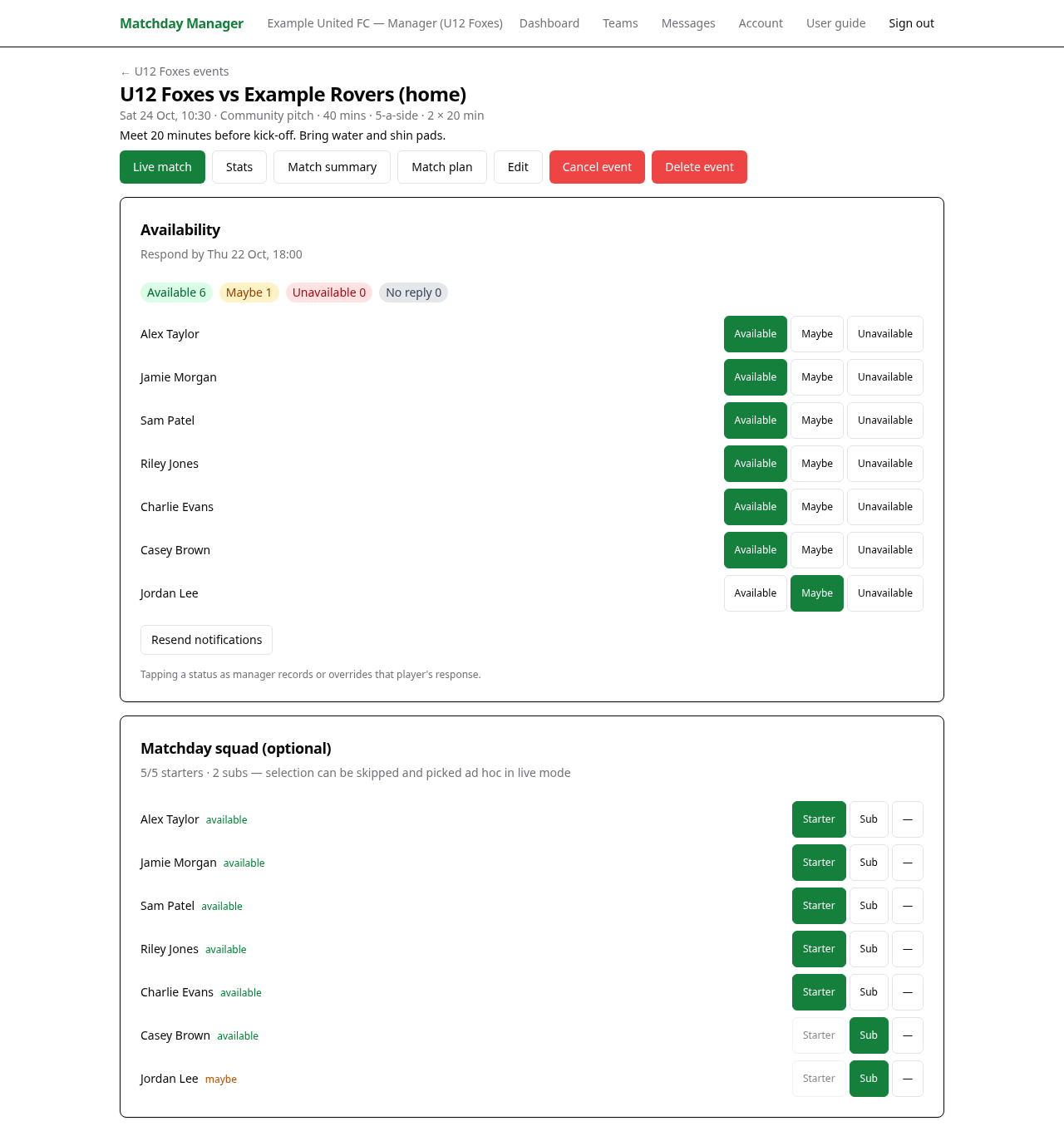
Ask for availability against the actual fixture or training session. See Available, Maybe, Unavailable and No reply together, then make your matchday selection with a clear view of the responses.
For managers chasing attendance replies, and parents or senior players who need a clear way to respond.
 View full screenshot →
PRACTICAL TOOLS FOR GRASSROOTS FOOTBALL
Fixture date, location and notes stay alongside the availability request. Add a respond-by deadline so families know when you need an answer.
Guardians reply for their linked children. Senior players reply for their own record. Managers can record or override a response when someone contacts them another way.
A player being available does not make them a starter. Choose Starter or Sub separately for the fixture and review the players-per-side limit.
Enter the event’s date, time, location and useful notes. Check the displayed time before asking families to respond.
Open the event, add an optional Respond-by deadline and select Open availability. Check the notification result rather than assuming every email was delivered.
Use the status totals to see who is available, undecided, unavailable or has not replied. Resend notifications where needed and update responses received outside the app.
For a fixture, mark starters and substitutes. Unavailable players are normally hidden from selection unless already selected; change their availability if circumstances change.
Yes, for children linked to their account and included in the event. Open the event and choose a status for each child shown.
They can return to the open availability section and select a different status. The highlighted choice shows the recorded response.
No. Availability notifications follow the youth contact rules: under-16s are contacted through guardians, and direct contact for 16–17-year-olds depends on consent.
No. Availability and matchday selection are separate. The manager chooses Starter or Sub for a fixture after reviewing the replies.
Create your account, find your club and bring your team into one place.
Get started